Choose your AI.
Choose how it searches.
Your favourite assistant. The sources you need.
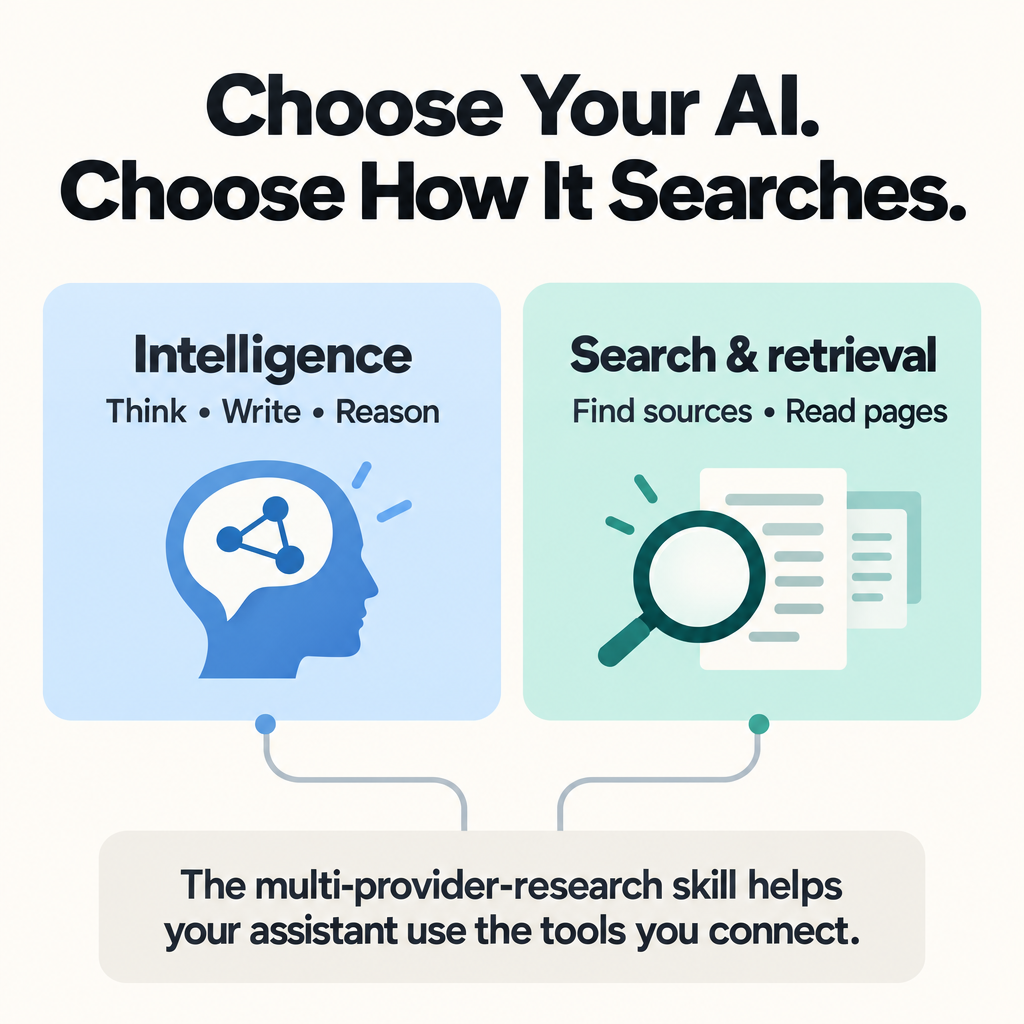
Choose the model and the research tools separately—then help them work together.
The assistant you like.
Interprets your question.
Reasons with evidence. Writes the answer.
The evidence you need.
Finds relevant sources.
Retrieves the content for your assistant.
The multi-provider-research skill helps your assistant coordinate connected tools.
One suitable provider can be enough. Start with the tools you already have.
Keep the assistant.
Open up your sources.
In a compatible application, you can keep the AI you prefer and connect separate tools to find its evidence.
You might like your assistant's writing and reasoning but want another way to find technical documentation, explore a topic from several angles, or read a webpage. A connected provider gives it another route to the information it needs, within the same workspace.
For example, when comparing two products, a search provider can find their official documentation, a retrieval tool can bring back the relevant pages, and your chosen assistant can use that evidence to explain the tradeoffs. Some providers also offer their own generated analysis; the skill helps distinguish that from retrieving sources for your assistant to interpret.
You can keep a setup that works for you and add a capability when you need it. You can also try a different research provider without choosing a new model solely for its bundled search. Better results still depend on the task, the sources, and how the assistant uses them.
This is useful for more than recent news. Research also means finding older documents, checking an original source, and distinguishing what the evidence supports from what remains uncertain.
A little more background
You may already use ChatGPT or Claude to think through a problem, write something, or find information. When an assistant searches for you, it is easy to think of the model and the search tool as one thing.
But the intelligence that works with information and the tools that find that information are separate parts of the setup. In an application that supports external tools, you can choose them separately: use the models and workspace you like, then connect search and retrieval services that suit your needs.
That gives you more freedom to choose where your assistant gets its evidence. It can also open up useful combinations at different price points.
I built the multi-provider-research skill to help an assistant work with those connected tools. You can start with one provider; you do not need a collection of subscriptions.
Explore the skill (new tab) · See how to get started · Read the full guide
A few terms. No prerequisites.
You do not need to know the terminology before you begin.
Model
The AI that interprets your request and generates a response. It can work with information supplied by external tools.
Application
The workspace around the model, sometimes called a harness. It manages your conversation and the tools the model can use. Think of it as the place where you work with AI.
Provider
In this guide, an external service that supplies search, retrieval, structured data, or analysis, such as Octen, TinyFish, Exa, or Perplexity.
Connector or plugin
A way for your application to access an external service. The name and setup process vary by application. You may also encounter MCP, a standard for connecting AI applications to tools.
Skill
A reusable package of instructions that an assistant can follow for a particular kind of task. The multi-provider-research skill gives guidance on using research tools.
Search finds useful sources. Retrieval brings back their contents. Some services also research and analyze using their own models. Exa Agent Ultra is one optional example; it does not inherit your selected model.
Give each tool
a clear job.
Connecting tools gives your assistant access. The skill supplies instructions for using them well.
- Choose the smallest useful set of available providers. One can be enough.
- Give each provider a clear job when more than one is needed.
- Respect your instructions about which providers to use or exclude.
- Check source evidence and explain material gaps or failed retrievals.
- Distinguish retrieving sources from asking a provider to generate its own analysis.
The skill covers Octen, Exa, Perplexity, Parallel, Firecrawl, TinyFish, and authenticated X tools. You do not need all of them installed.
It is an instruction package, so its use depends on your application's support for skills and connected tools. It does not install providers, supply API keys, or include paid access to their services.
Start small.
Try something useful.
One skill. One connected provider.
A question you actually want answered.
01Check your application, then connect one providerChoose a suitable connection and confirm that it works.
Want a worked example? Follow the ChatGPT + TinyFish beginner walkthrough to connect one provider, add the skill, and inspect a real comparison of free video-meeting tools.
Choose an application that supports both connected tools and local skills. Connect one provider that fits your first question, then confirm it can return useful sources. The ChatGPT + TinyFish walkthrough shows one complete path.
For other choices, use the provider reference and connection guide. You do not need to connect every provider.
02Add the routing skillGive your assistant reusable instructions for the connected tools.
Add the complete multi-provider-research skill folder using the installation instructions (new tab). The beginner walkthrough includes a copyable installation request and the verified macOS setup.
The skill supplies instructions; it does not install or pay for the provider.
Ask a real question.
Copy this prompt and replace the brackets with your details.
Use the multi-provider-research skill.

Use [my connected provider] to compare [tool A] and [tool B] for [my use case], using current official sources.
Keep all analysis and writing in this assistant. Explain the relevant tradeoffs and link to the evidence.
Look for supporting sources, clear contributions, and an honest account of missing evidence.
Prefer a worked example? Follow the tested ChatGPT + TinyFish task.
More choice.
A budget that fits.
Account for your application, research-provider charges, and local taxes separately. Free retrieval still uses your assistant’s model allowance.
Start with the application you already use and add a research service when it fills a useful gap.
Explore free retrieval allowances and regional pricing examples. Each example retains its own source-check date.
See the approach in practice.
Two AI assistants researched Ethereum’s Glamsterdam upgrade using connected evidence providers. A third combined their reports. Explore where the tools filled gaps, where their contributions overlapped, and how the synthesis handled differences.
Explore the Glamsterdam worked example ↗ (new tab)
You do not need to reproduce this setup: start with one provider and add another when it fills a specific gap. This is a documented workflow, not a controlled comparison proving that more providers produce better results.
Build on what works.
Find the right capability, connect it, and put it to work.